IPsec is available starting in version 4. It is a network protocol suite that authenticates and encrypts packets of data sent over a network.
GuideWanos Admin Guide
SectionConfiguration
UpdatedDecember 8, 2020
Reading time1 min
These are the steps to activate this feature.
Enabling IPSec In WCM
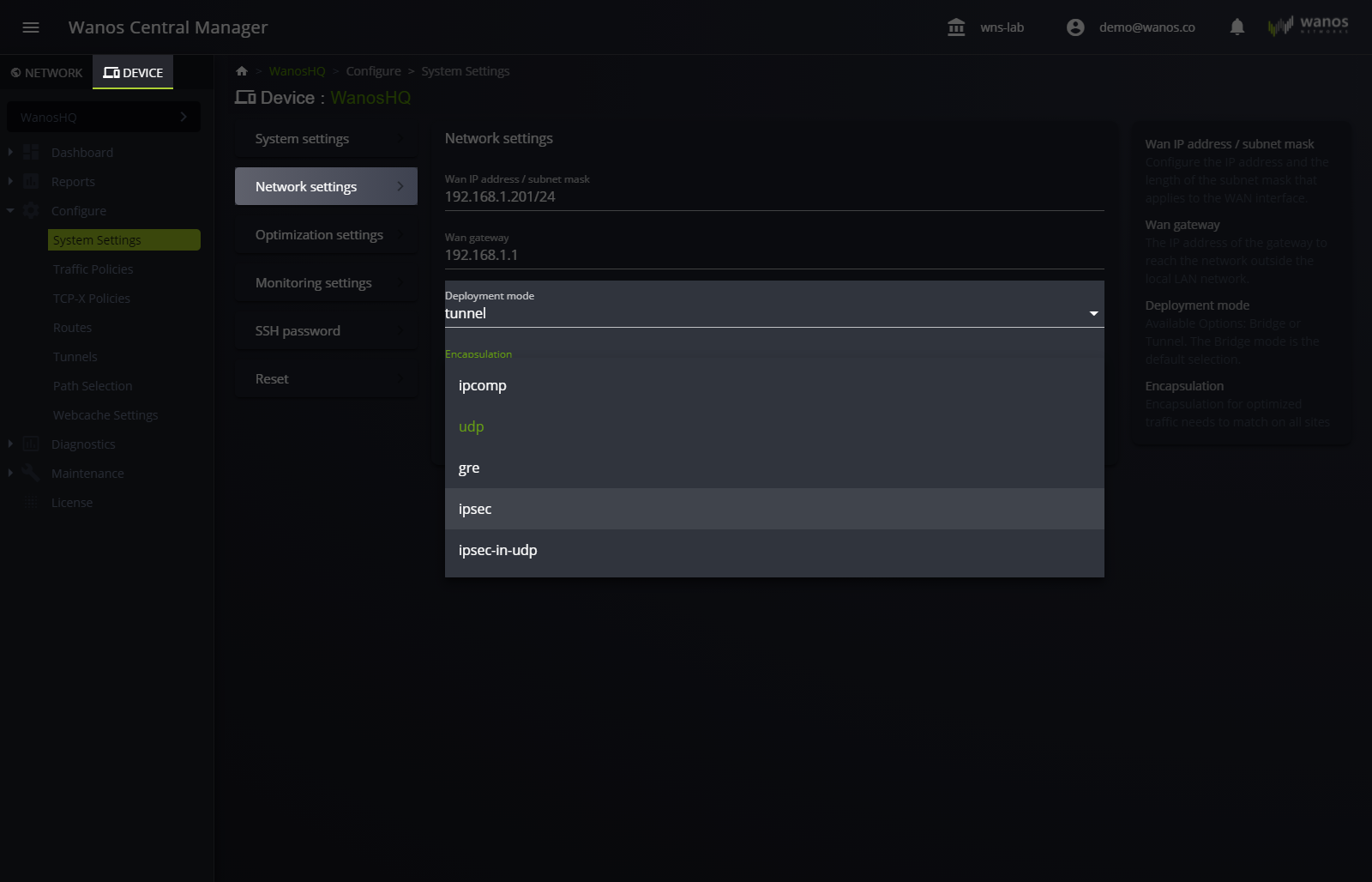
- Navigate to Device > Configure > System Settings > Network Settings > Deployment mode. Set the value to tunnel. The ipsec option becomes available under Encapsulation.
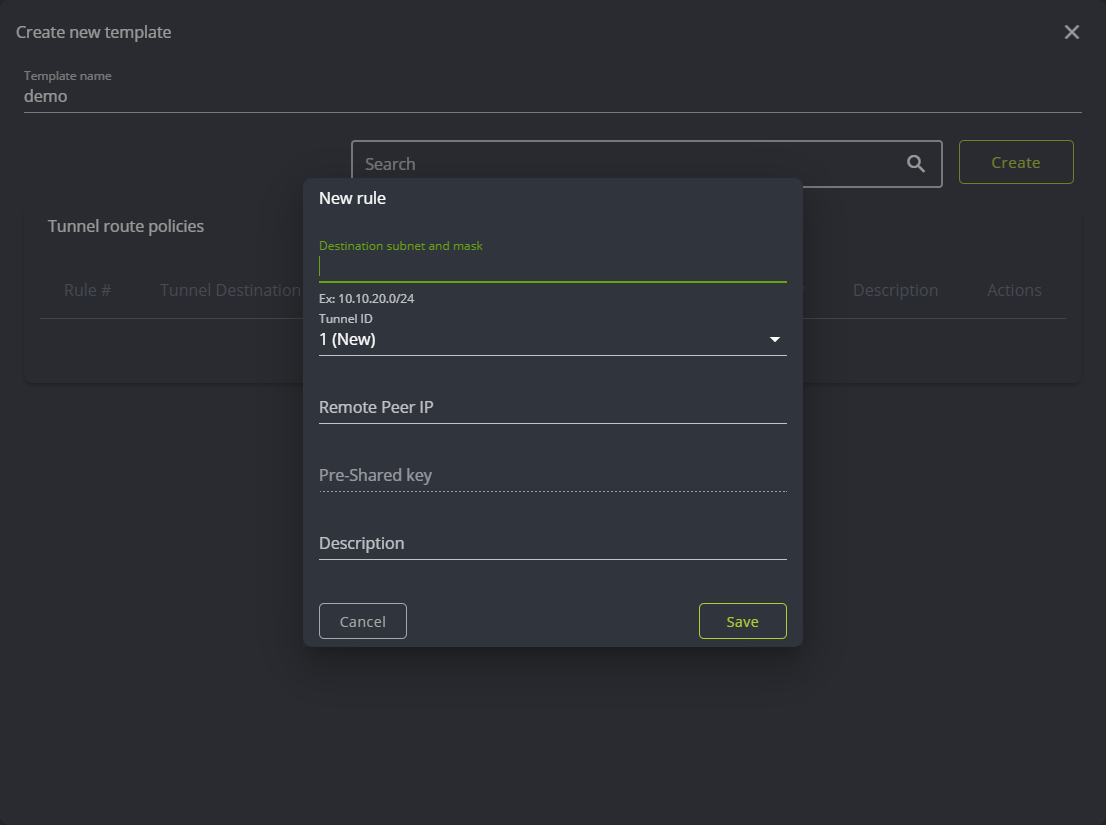
- Create a Tunnel Policy. Navigate to Device > Configure > Tunnels.
Enabling IPSec in Local Web User Interface
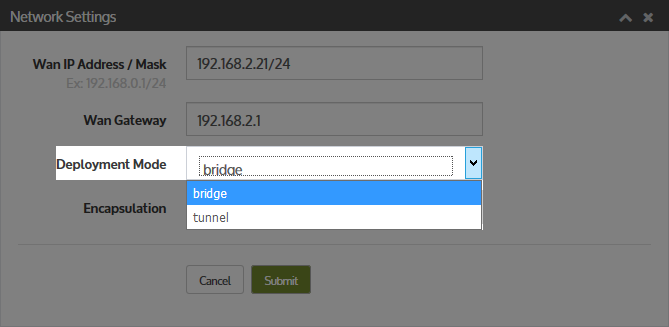
- Navigate to Configure > System Settings > Network Settings > Deployment Mode
Set tunnel in Deployment mode.
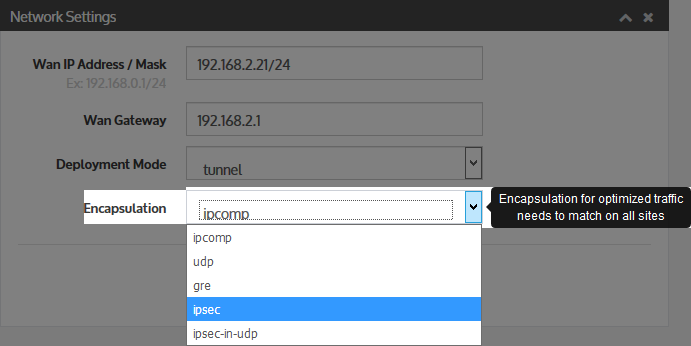
- Set ipsec as the mode of encapsulation.
This setting is just below Deployment Mode.
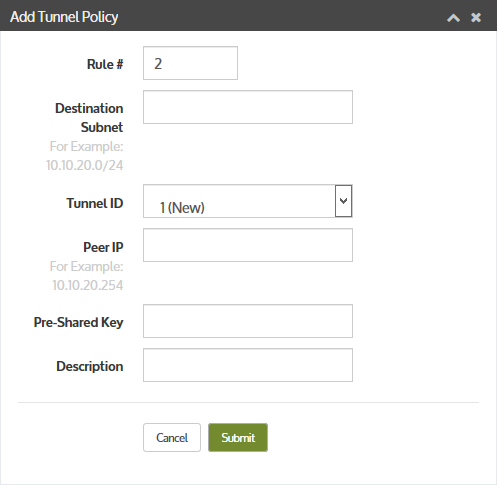
- Create a Tunnel Policy rule.
Navigate to Configure > Tunnel Policies.
Reminders
- The pre-shared key must be 35 characters long.
- The pre-shared key must match on both sides of the tunnel end points.
- The first 3 digits of the pre-shared key signify the SPI and must be unique for each Tunnel Interface ID.
Still not resolved? Email support@wanos.co or see the support options.