Autostart Wanos in VMware vSphere (ESXi)
GuideKnowledgebase
SectionVMware vSphere (ESXi)
UpdatedFebruary 9, 2017
Reading time1 min
VMware vSphere has the option to automatically start Virtual Machines.
Wanos can be started by configuring the autostart feature.
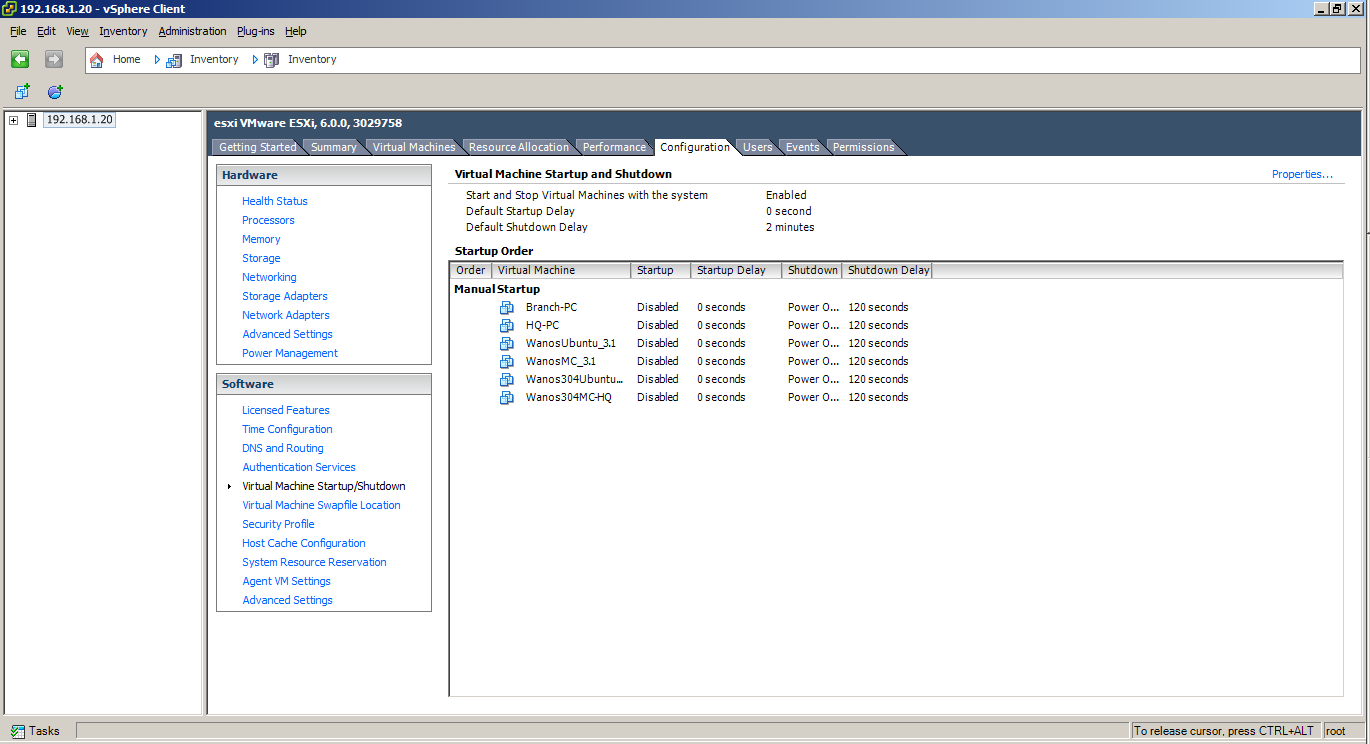
- Open vSphere Client and navigate to Server/Host > Configuration (tab) > Virtual Machine Startup/Shutdown (Software pane) > Properties.
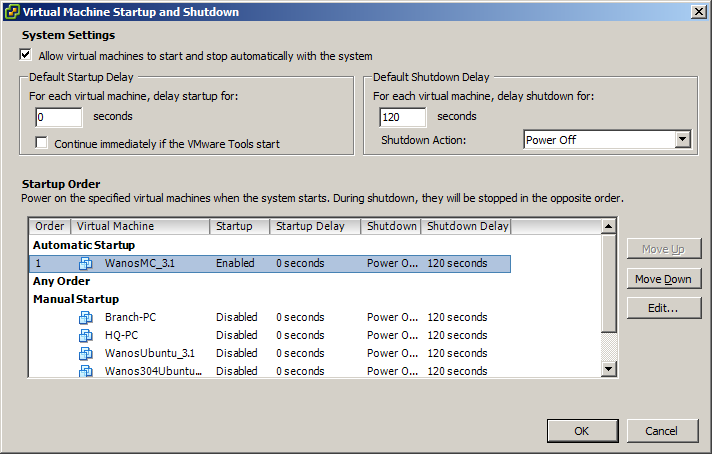
- Make sure to tick/mark Allow virtual machines to start and stop automatically with the system.
- Select a Wanos VM and use the Move Up or Move Down buttons to place it from Manual Startup to Automatic Startup
Still not resolved? Email support@wanos.co or see the support options.