Network Configuration
GuideKnowledgebase
SectionHyper-V
UpdatedFebruary 20, 2017
Reading time1 min
When deploying Wanos using Hyper-V, use Network Adapter instead of Legacy Network Adapter. This configuration works on Wanos version 2.6.2 and later versions.
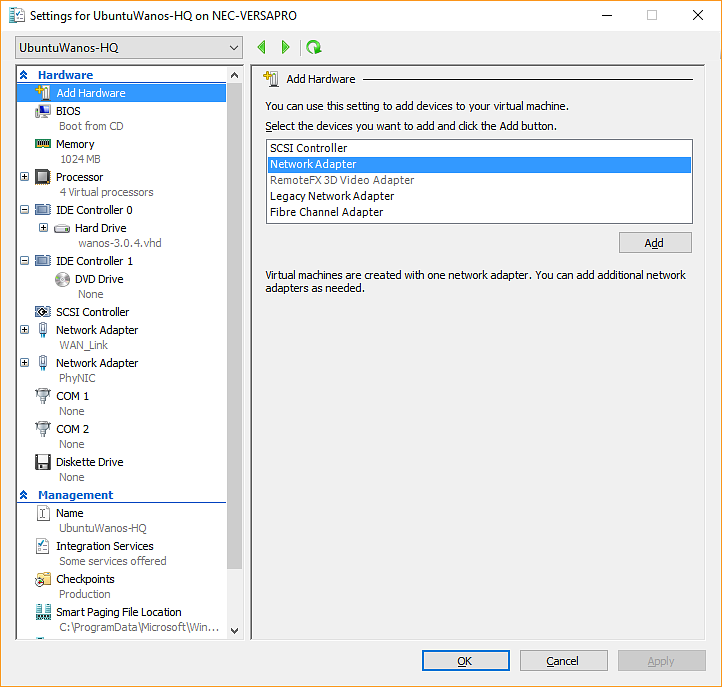
Screenshot of adding a Network Adapter on Hyper-V
Make sure to Enable Mac Address Spoofing.
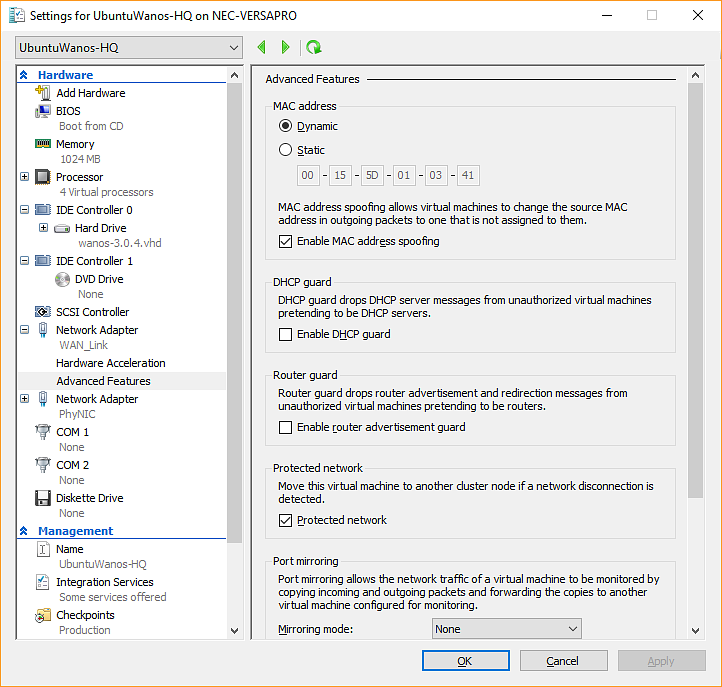
Screenshot of MAC Address Spoofing on Hyper-V
Note: When using Windows 7 VMs on Hyper-V for the purposes of logging into the Wanos Web User Interface, use the Legacy Network Adapters option. The modern network adapters work only on Windows 8 and later versions of it.
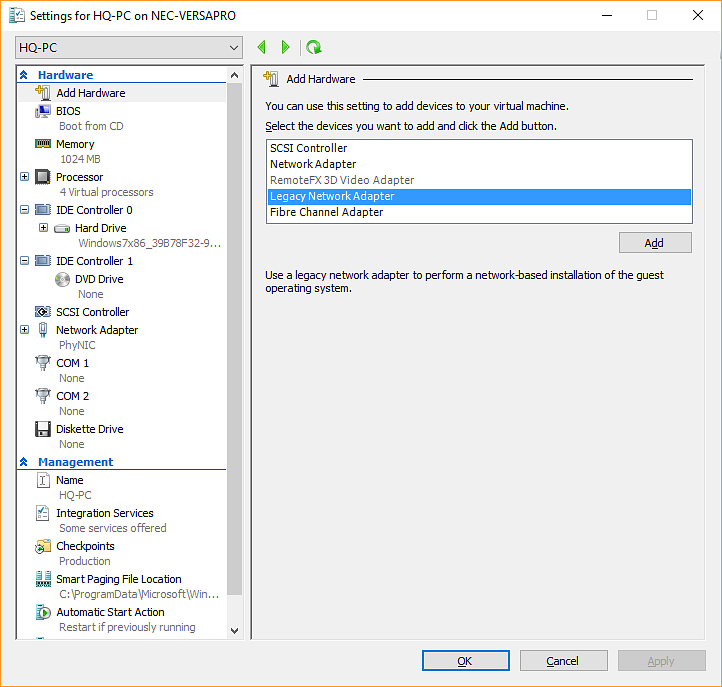
Screenshot of Legacy Network Adapters. Works on Windows 7 and older versions of Microsoft Windows.
Still not resolved? Email support@wanos.co or see the support options.