Shutdown and Reboot
GuideFrequently Asked Questions
UpdatedDecember 11, 2020
Reading time1 min
There are three ways to shut down or reboot the appliance.
By using the command line or SSH
Access the appliance via terminal or use SSH.
Run the command shutdown the appliance:
sudo poweroff
Run the command to reboot
sudo reboot
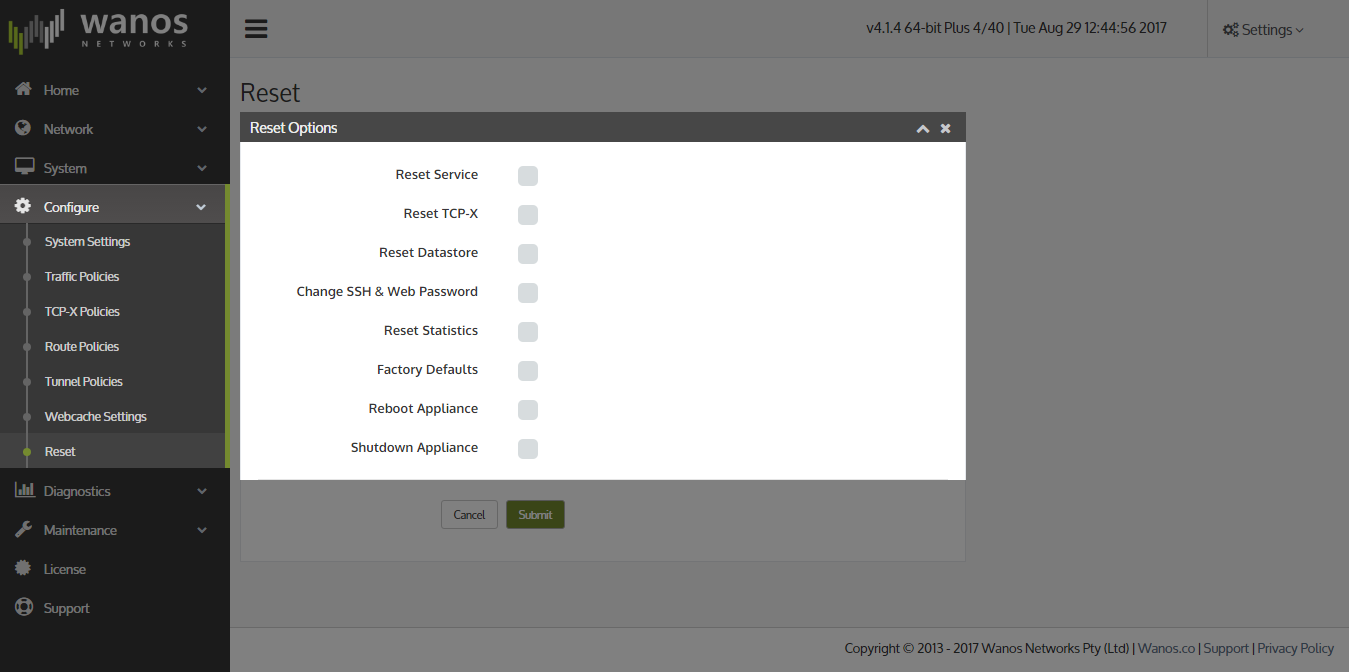
By using the Local Web User Interface
Access via Configure > Reset > Reset Options
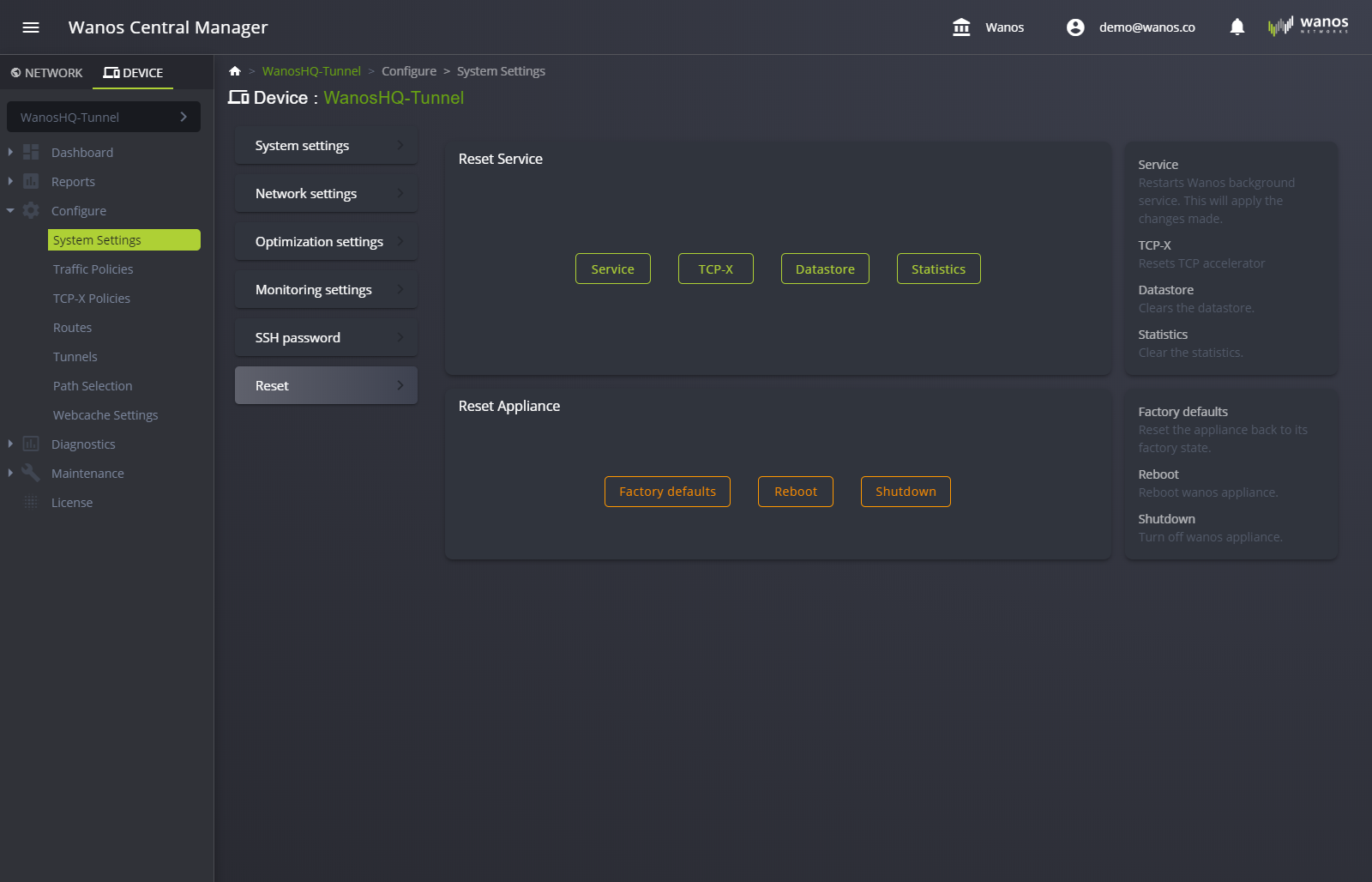
By using Wanos Central Manager (WCM)
Access via Device > Configure > System Settings > Reset
Still not resolved? Email support@wanos.co or see the support options.